

OxKinder · preschool, nursery and daycare management system
The whole school day in one system
From attendance to verified pickup, from medication tracking to fee tracking, a nursery's daily operation runs in OxKinder. The administrator works in a browser, the teacher on a phone, the parent in their own app, and all three read the same record.
The trial asks for no card details and does not turn into a paid subscription on its own. We open the school account and the first class with you; if your student list is ready you can start the same day.
The school has no single record.
Attendance goes in a notebook, the medication note on paper, the announcement into a WhatsApp group and the fees into a separate spreadsheet. Each one is correct on its own; none of them sit together.
When a parent asks, you need a record to show
What time did the child arrive, who gave the medicine, who collected them? If the answers live in three different places, nobody can answer quickly. The gain is not the time saved; it is that the school has one record it can stand behind.
Three screens showing the same day
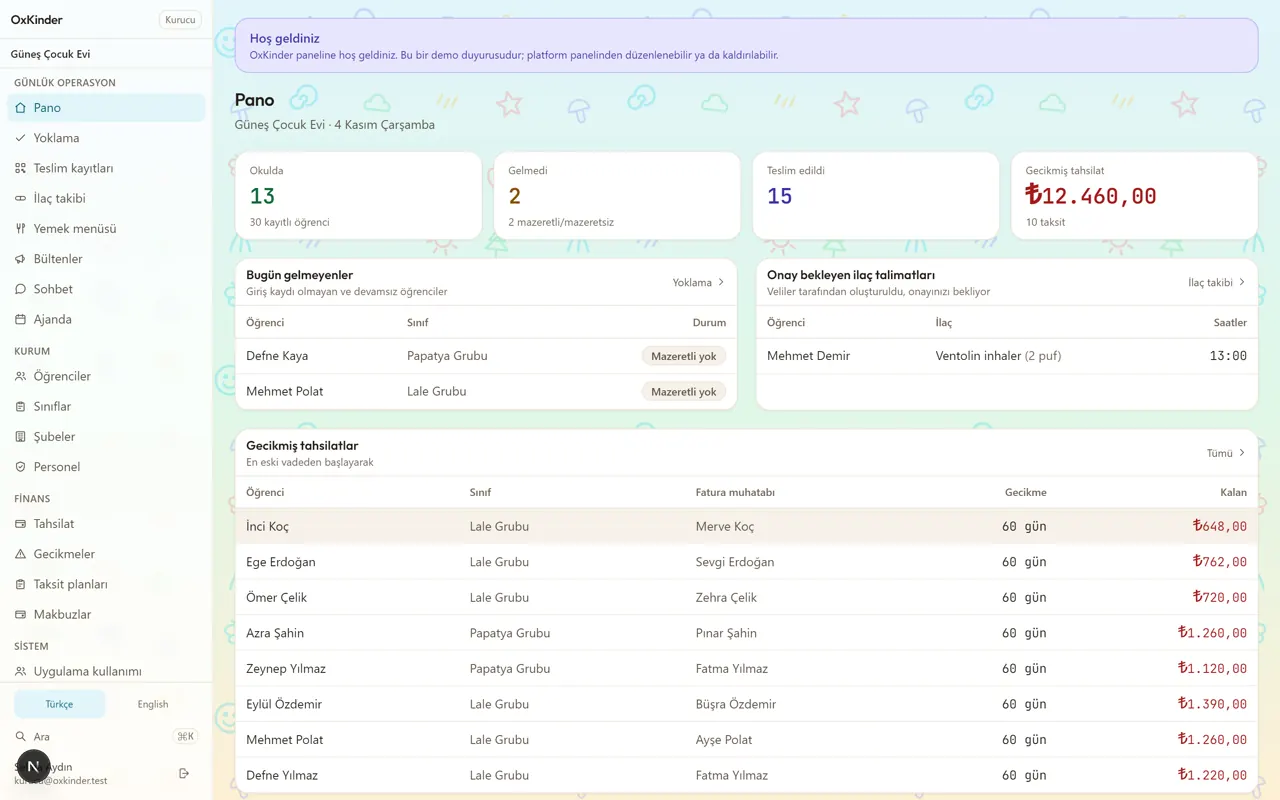
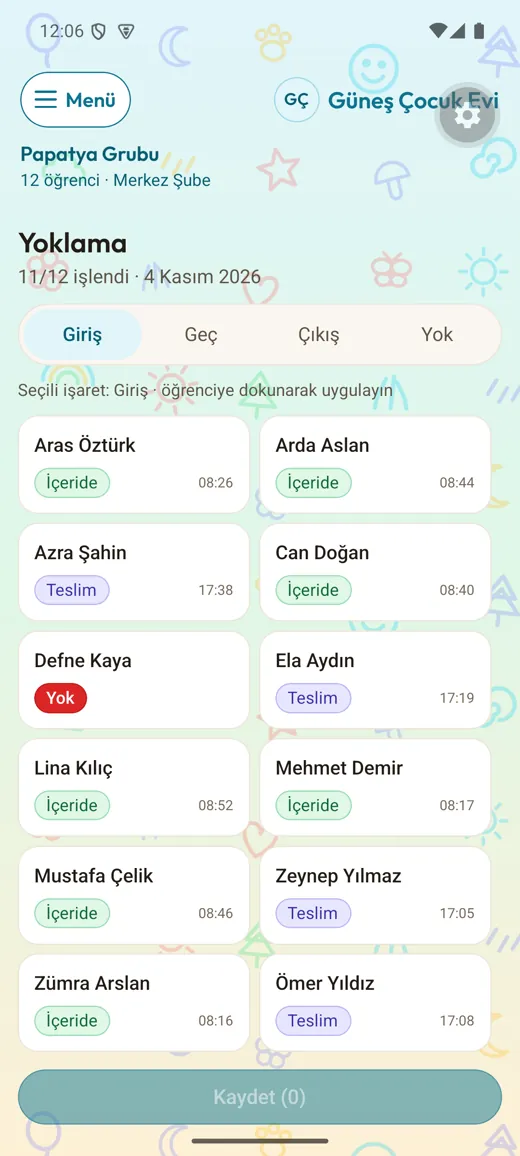
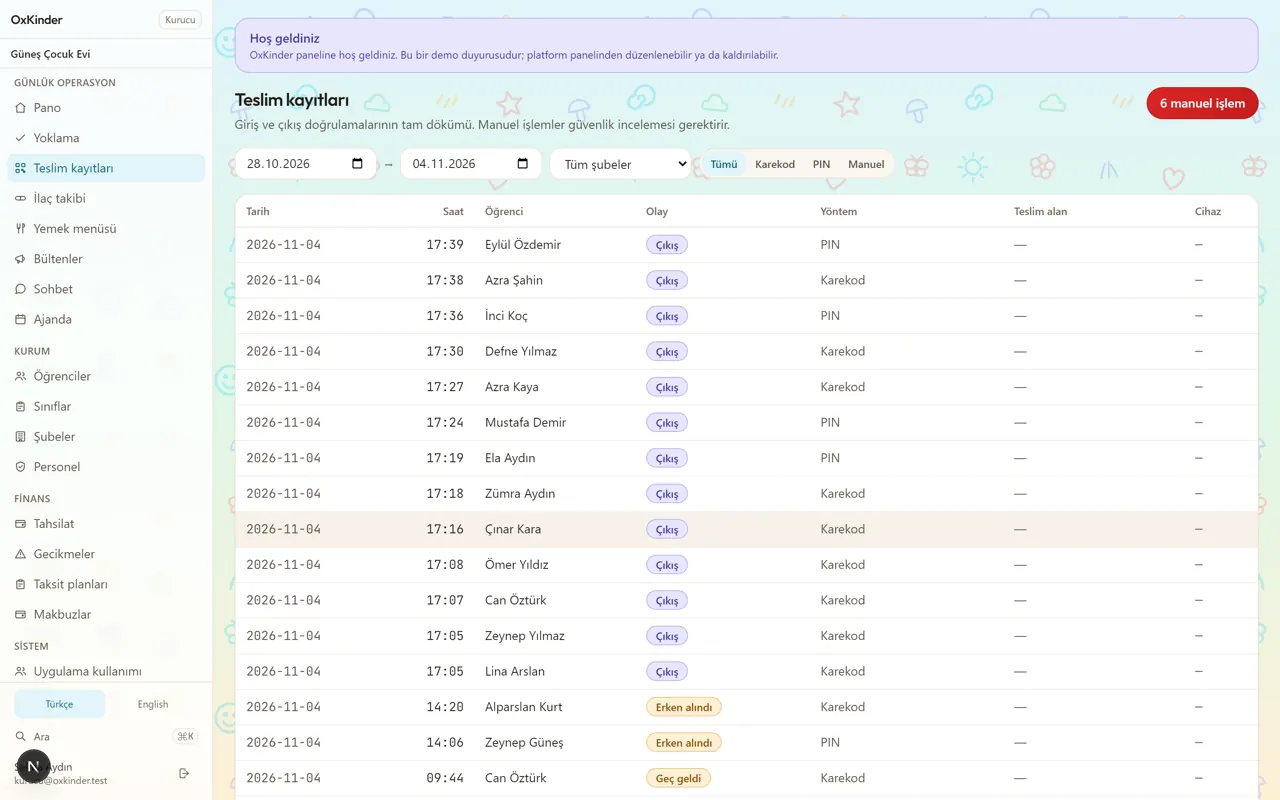
The administrator opens the dashboard in a browser, the teacher takes attendance on a phone, the parent sees their child's day in their own app. All three read the same record, and what one writes appears for the others.
One record: who did what, and when.
Ten modules, each switched on or off on its own.
The screens of a module that is switched off never appear. A menu nobody uses is the first thing that slows a teacher down.
-
01
Attendance
Check-in, check-out, late arrivals and absences. A whole class in one tap, and the parent is notified when the child arrives and leaves.
-
02
Verified pickup
Handover is confirmed by QR code or PIN. Each child has a list of authorised people, and anyone not on it cannot collect them. A photo and timestamp are recorded at handover.
-
03
Medication tracking
The parent states the medicine and the dose, the school approves it. The teacher is reminded when a dose is due, and each dose records who gave it and when.
-
04
Daily care log
Naps, meals, toileting and the teacher's note. An evening summary goes to the parent automatically.
-
05
Meals and allergies
Allergy and dietary notes sit on the child's profile. The weekly menu is entered once and parents see it in their app.
-
06
Agenda
Parent meetings, holidays, fairs and other key dates. Scope can be the whole school, one branch or one class, and staff-only entries stay hidden from parents.
-
07
Newsletters and gallery
An announcement goes to a class, a branch or the whole school. Only that child's parents see the photo gallery, and a retention window can be set.
-
08
Fee tracking
Instalment plans, payment tracking, PDF receipts and automatic reminders for overdue payments. The school collects the money; the system tracks it.
-
09
Messaging
Parents, teachers and staff write to each other inside the product. No teacher has to hand out a personal number and no WhatsApp group is needed.
-
10
App usage
It shows which staff are struggling with the rollout, so training goes to the people who need it.
Two more modules are in development. We are not naming them yet: what schools ask for most will decide the next one.
Three surfaces, one record.
The screens below come from the product's demo school; the names and amounts are examples.
We do the setup.
Registering the school and opening the first class takes a few minutes; the rest follows once your list is ready.
We import the lists for you
We import your student and parent lists from Excel. If you already have a list ready, you can start using it the same day.
- Student and parent import from Excel
- Class and branch structure set up
- Parent logins sent with one click
The handout for parents comes ready
The handout you give parents comes with the setup. It explains how to download the app and what they will see, so the school does not have to write it.
- Ready-made handout for parents
- Parent app on the App Store and Google Play
- Modules switched on and off one by one
A system holding children's data has to behave differently.
What follows is how the product is built; it does not replace the school's own obligations.
Schools cannot see each other
The boundary is not in the screens but in the layer where data is stored: every query runs with the school boundary attached. Permission checks start closed, so anything not explicitly allowed does not go through.
The log itself cannot be switched off
Who changed what and when is written to the audit log, and that log cannot be switched off. For attendance, pickup and medication, the answer to who did it stays on record.
Pickup rights follow a list
Each child has a list of authorised people, and anyone not on it cannot collect them. Handover is verified by QR code or PIN, with a photo and timestamp recorded at once.
Data protection duties are shared
The database and file storage sit on servers we manage, and the product is built to work in line with Turkish data protection law. The school's own duties, such as its privacy notice, consent and registry filing, stay with the school.
Per student per month, with no cut-down tier.
The price is worked out from your student count and includes VAT. Whichever package you choose, all ten modules are open: nothing is switched off on a cheaper tier. Paying a period upfront lowers the unit price, and if you are not satisfied the remaining months are refunded.
The current unit prices and period discounts are in the pricing table on oxkinder.com; we do not keep a second copy here, so the two cannot drift apart. Enter your student count there and you see the monthly total.
What schools ask on the first call
Do parents download a separate app?
Yes, parents have their own app, on the App Store and Google Play. Teachers use their own screen on a phone or tablet, and administrators sign in through a browser. Parent logins are sent with one click during setup.
How is this different from a WhatsApp group?
In a group the messages scroll away and you cannot go back and find who said what and when. Here an announcement goes to a class, a branch or the whole school, only that child's parents see the photo, and every entry carries the name of whoever made it. No teacher has to hand out a personal number either.
We have several branches. Can we run them in one account?
Yes. One school account can hold several branches, and permissions are granted per branch. The scope of an announcement or agenda entry can be the whole school, one branch or one class.
Can we collect payments through the app?
Not yet. Card payment inside the app is still in development. Today the system tracks instalment plans, payments and overdue amounts and produces PDF receipts; the school collects the money its own way.
What happens over the summer?
The system stays open over the summer too. The ten-month package is built around the September to June term; ten months paid upfront gives twelve months of use.
Can we get our data out?
Yes, data export is available. The database and file storage sit on servers we manage, and each school's data is kept separate from every other school's.
See your own school in a trial account.
Your school name and student count are enough to start. If you would rather see a live walkthrough first, we arrange that too; the 15-day trial asks for no card details and does not turn into a paid plan on its own.
OxKinder is an Oxfortech product. Its own site, pricing table and legal documents are at oxkinder.com.